
Choose your settlement currency
Your first operational decision determines how you handle volatility. You must decide whether to hold the incoming crypto or auto-convert it to fiat or stablecoins. This choice impacts your cash flow, accounting complexity, and tax liability.
Most merchants opt for instant conversion to mitigate risk. Holding volatile assets like Bitcoin introduces price fluctuation exposure between the moment of sale and your next bank deposit. Auto-conversion locks in the sale price at the point of transaction, treating crypto as a payment method rather than an investment asset.
Settlement Models Compared
The table below compares the three primary settlement models available in 2026 crypto POS systems.
| Model | Volatility Risk | Accounting Complexity | Best For |
|---|---|---|---|
| Instant Fiat Conversion | Low | Low | Stable cash flow |
| Stablecoin Hold | Medium | Medium | Crypto-native businesses |
| Native Crypto Hold | High | High | Long-term holders |
Instant Fiat Conversion
With this model, the payment gateway converts the customer’s crypto to USD, EUR, or GBP immediately. The funds settle in your traditional bank account within 1-3 business days. This approach eliminates price risk and simplifies bookkeeping, as your revenue matches your bank deposits. It is the standard choice for brick-and-mortar retailers who need predictable income.
Stablecoin Settlement
Some gateways allow you to receive payments in stablecoins like USDC or USDT, which are pegged to fiat. You retain the digital asset but avoid crypto volatility. This option offers faster settlement times than fiat rails and lower fees than traditional credit card processing. However, you must manage your own wallet security and understand the regulatory status of stablecoins in your jurisdiction.
Holding Native Crypto
Holding Bitcoin or Ethereum directly exposes your business to market swings. If Bitcoin drops 10% overnight, your revenue shrinks. This model is suitable for businesses that already hold crypto on their balance sheet and view sales as additional accumulation. Note that holding crypto increases accounting complexity, as you must track the fair market value at the time of each transaction for tax reporting.
Select the right payment gateway
Choosing a crypto payment gateway is the most critical technical decision in your POS setup. The wrong provider can leave you unable to accept popular coins or bleed profits through hidden fees. Focus on two factors: supported chains and fee structure.
Supported chains matter more than coin count
Many gateways claim to support "100+ coins," but most of those are obscure altcoins with no liquidity. For a retail POS, you need reliable support for the assets your customers actually hold. Prioritize gateways that handle Lightning Network for Bitcoin and major ERC-20 tokens like USDC. Lightning enables near-instant, fee-free transactions, which is essential for high-volume retail. ERC-20 support ensures you can accept stablecoins without dealing with Ethereum network congestion.
Fee structures: flat vs. percentage
Gateway fees directly impact your margin. Most providers charge between 0.5% and 2% per transaction. Some charge a flat fee per transaction, which is better for low-value items. Others take a percentage, which scales with sales volume. Avoid gateways that add hidden conversion fees when settling in fiat. Always compare the total cost of a $10 transaction versus a $100 transaction to see which model favors your business size.

Settlement options
Decide whether you want to receive crypto or fiat. Crypto settlement keeps you in the asset but exposes you to volatility. Fiat settlement (auto-conversion to USD, EUR, etc.) eliminates risk but usually incurs an extra conversion fee. For most small businesses, fiat settlement is the safer starting point. You can always hold a portion of crypto later if you choose to.
Integration ease
The gateway must integrate with your existing POS software. Check if they offer native plugins for systems like Square, Clover, or Lightspeed. If not, you may need a middleware solution, which adds complexity and potential points of failure. A seamless integration means your staff doesn't need to learn a new interface or manually reconcile payments.
Security and compliance
Ensure the gateway is PCI-DSS compliant and offers robust fraud protection. Since crypto transactions are irreversible, chargeback protection is less relevant, but fraud prevention is still critical. Look for providers that offer real-time transaction monitoring and automated KYC/AML checks if required by your jurisdiction.
Install and configure the terminal
Setting up a crypto POS system requires connecting your payment gateway to existing hardware or software. The goal is to create a seamless bridge between your point-of-sale interface and the blockchain network. This process ensures that transactions are processed securely and converted to fiat currency if needed, minimizing volatility risk for your business.
Follow this linear workflow to integrate your gateway plugin and connect to your POS terminal.
Before installing software, confirm that your existing POS terminal or card reader supports the payment gateway’s SDK. Most modern terminals use Android or Windows-based operating systems that can run third-party payment apps. Check the manufacturer’s specifications for Bluetooth or USB connectivity options required for the crypto gateway plugin.

Log into your payment provider’s merchant dashboard and download the official POS plugin. Install the application on your terminal device. During installation, ensure you have stable internet access, as the plugin needs to sync with the provider’s servers to fetch real-time exchange rates and verify transaction integrity.
Enter your unique API keys from the merchant dashboard into the plugin settings. These keys authenticate your terminal with the payment processor. Enable two-factor authentication (2FA) for the merchant account and set transaction limits to prevent unauthorized large transfers. Configure whether you want to hold crypto assets or convert them to fiat immediately upon settlement.
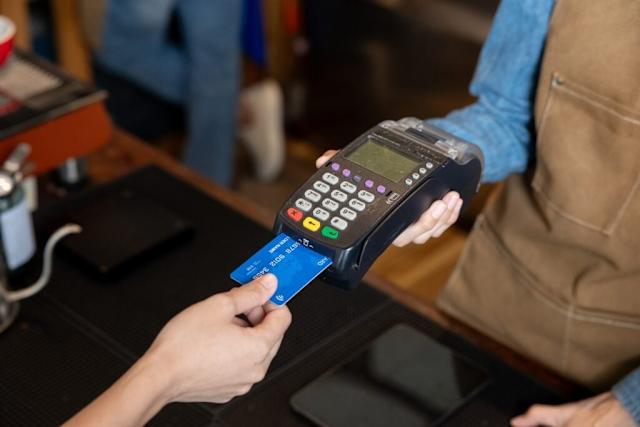
Link the gateway plugin to your primary POS software (such as Square, Shopify, or a custom retail system). This usually involves selecting the payment method within your POS settings and choosing the crypto gateway as the provider. Test the connection by processing a small test transaction to ensure order data flows correctly from the POS to the gateway and back.
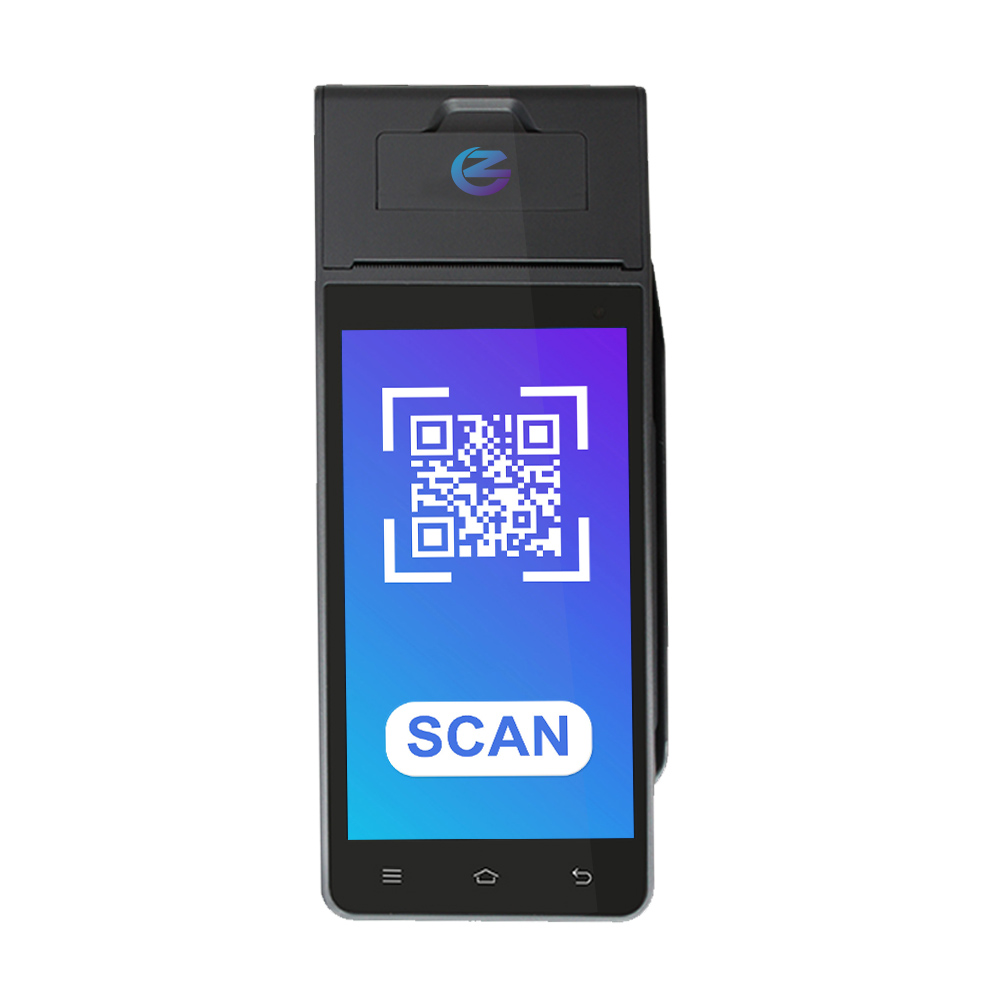
Conduct a final end-to-end test with a real customer or a test wallet. Scan a QR code or tap a card to initiate a payment. Verify that the transaction appears in both your POS receipt printer and the merchant dashboard. Check that the status updates to "completed" and that funds are settled according to your chosen conversion settings.
Process a test transaction
Before going live, you must verify that the hardware, software, and blockchain network are communicating correctly. A test transaction confirms that your crypto POS system can accept payment, process the blockchain confirmation, and trigger the receipt. This step eliminates the risk of customer frustration and potential revenue loss on your first day of operation.
Open your POS interface and select the "Test Payment" or "Sale" option. Enter a nominal amount, such as $1.00. The system will generate a unique QR code or display a wallet address. Ensure the correct cryptocurrency (e.g., Bitcoin, Ethereum) is selected based on your configuration. This mirrors the actual customer experience.
Use a separate device or a test wallet to scan the QR code or copy the address. Initiate the transfer from your test wallet. If your system supports fiat conversion, the POS may show the equivalent USD value in real-time. Watch the terminal screen for a "Pending" or "Processing" status. This confirms the network has received the transaction.
Wait for the blockchain confirmation. Depending on the cryptocurrency, this may take seconds (for stablecoins or Layer-2 solutions) or several minutes (for Bitcoin). Once confirmed, your POS should display "Payment Successful" and automatically print or email a digital receipt. Verify that the transaction appears in your merchant dashboard with the correct status.
If the transaction fails, check your internet connection and wallet balance. Ensure your POS software is updated to the latest version. For persistent issues, consult your provider’s support documentation to confirm your API keys are active and correctly configured.
Handle compliance and taxes
Regulatory scrutiny for crypto payments is intensifying in 2026. Your POS system is no longer just a payment terminal; it is a financial data hub subject to strict oversight. Failure to comply can result in heavy fines or the revocation of your ability to process transactions. Treat compliance as a foundational layer of your setup, not an afterthought.
Start by identifying your regulatory obligations. In the United States, you must register as a Money Services Business (MSB) with FinCEN if your transaction volume exceeds certain thresholds. This registration is mandatory for most crypto POS merchants. Simultaneously, ensure your provider is licensed in your specific state, as money transmitter laws vary significantly by jurisdiction.
Next, implement robust KYC (Know Your Customer) and AML (Anti-Money Laundering) protocols. Your POS system should flag suspicious transactions automatically. Keep detailed records of all exchanges, including timestamps, amounts, and wallet addresses. These records are your first line of defense during an audit.
Finally, consult a tax professional familiar with digital assets. Crypto transactions are taxable events in most jurisdictions. Your POS software must generate clear, exportable reports that separate crypto sales from fiat conversions. This simplifies your quarterly filings and ensures you report the correct fair market value at the time of each sale.
-
Register as a Money Services Business (MSB) with FinCEN
-
Verify state-level money transmitter licenses for all operating regions
-
Configure automatic KYC/AML screening for high-value transactions
-
Set up automated tax reporting tools for fair market value at transaction time
-
Consult a CPA specializing in cryptocurrency tax obligations
No comments yet. Be the first to share your thoughts!